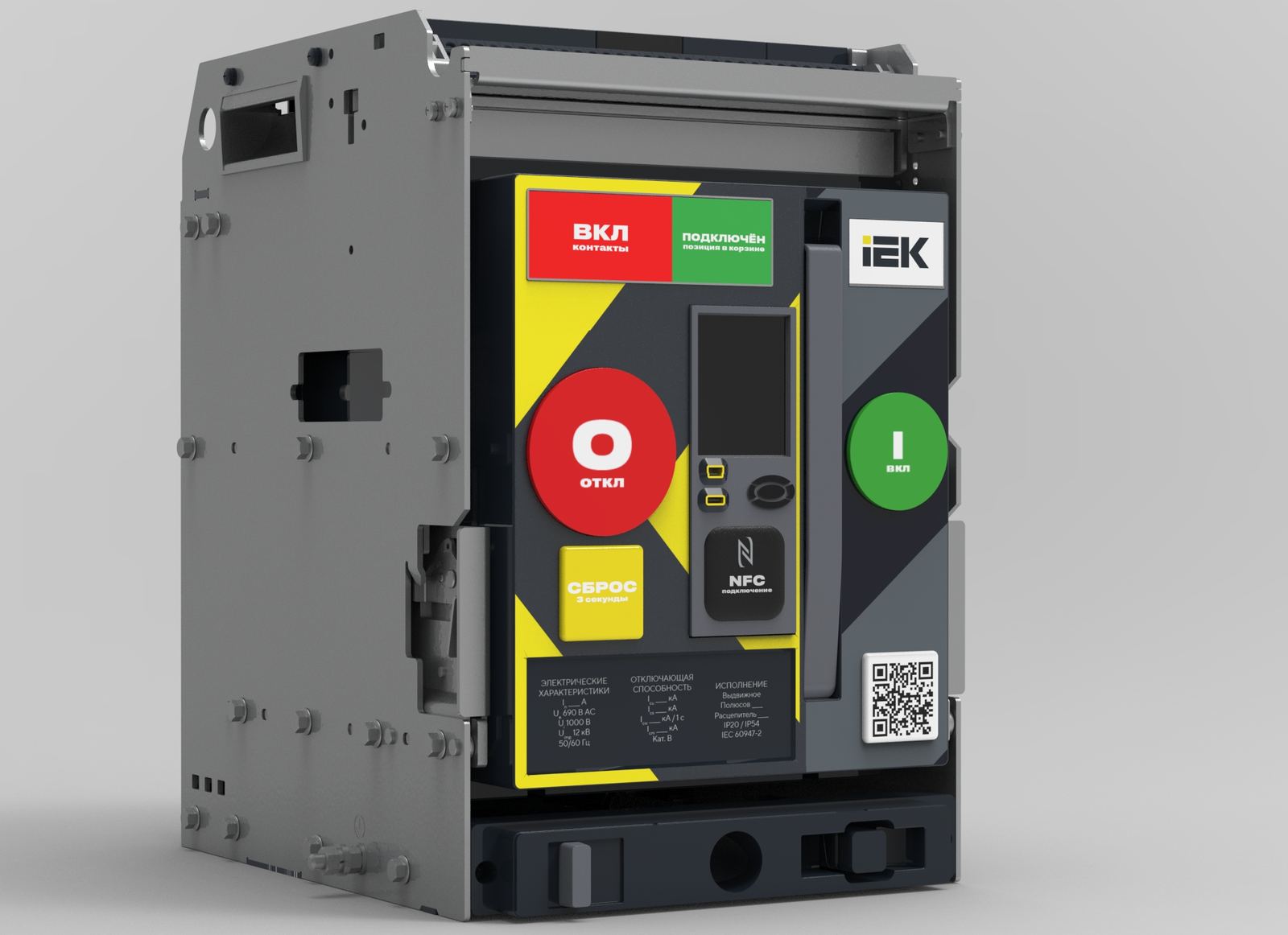
IEK ARMAT Air Circuit Breaker — Front Panel Redesign
An air circuit breaker is the heart of a distribution switchboard. The clarity of its front panel isn't a matter of convenience — it's a matter of safety: a mistake at a 6,300-ampere device is costly. We took IEK's draw-out ARMAT and rebuilt its interface to be simpler and safer in real workshop conditions — gloved hands, poor lighting, the stress of a post-fault situation.
Where we started
Before drawing anything, we mapped what was actually wrong with devices in this class. We studied the competitive landscape — using Schneider MTZ Active as the benchmark, alongside ABB Emax2, Hyundai HiAN, and Siemens 3WL. We read through professional electrician forums where practitioners write candidly about what frustrates them in daily work. Then we built user journey maps for three scenarios: installation, fault response, and scheduled maintenance.
The picture came together quickly. ARMAT has genuine strengths — a trip-unit display absent from budget alternatives, color-coded keys, three trip-unit types for different applications. But the everyday pain points outweighed them.
What was getting in electricians' way
Five problems came up repeatedly.
The position indicator — small, at the bottom of the panel, impossible to read from three meters away. Electricians had to walk up to the device to understand its state, every single time.
The reset button visually merged with the trip button. In calm conditions that's inconsequential, but after a fault — when the hand moves on instinct — confusing them has serious consequences.
The racking handle was detachable, stored separately in the spare parts kit. In practice, it got lost.
The TD trip unit — eight unlabeled buttons, fault codes with no on-device explanation. An interface that requires keeping the manual close at hand.
And there was no QR code or quick documentation access on the enclosure — so when something went wrong, the electrician was left alone with the device.
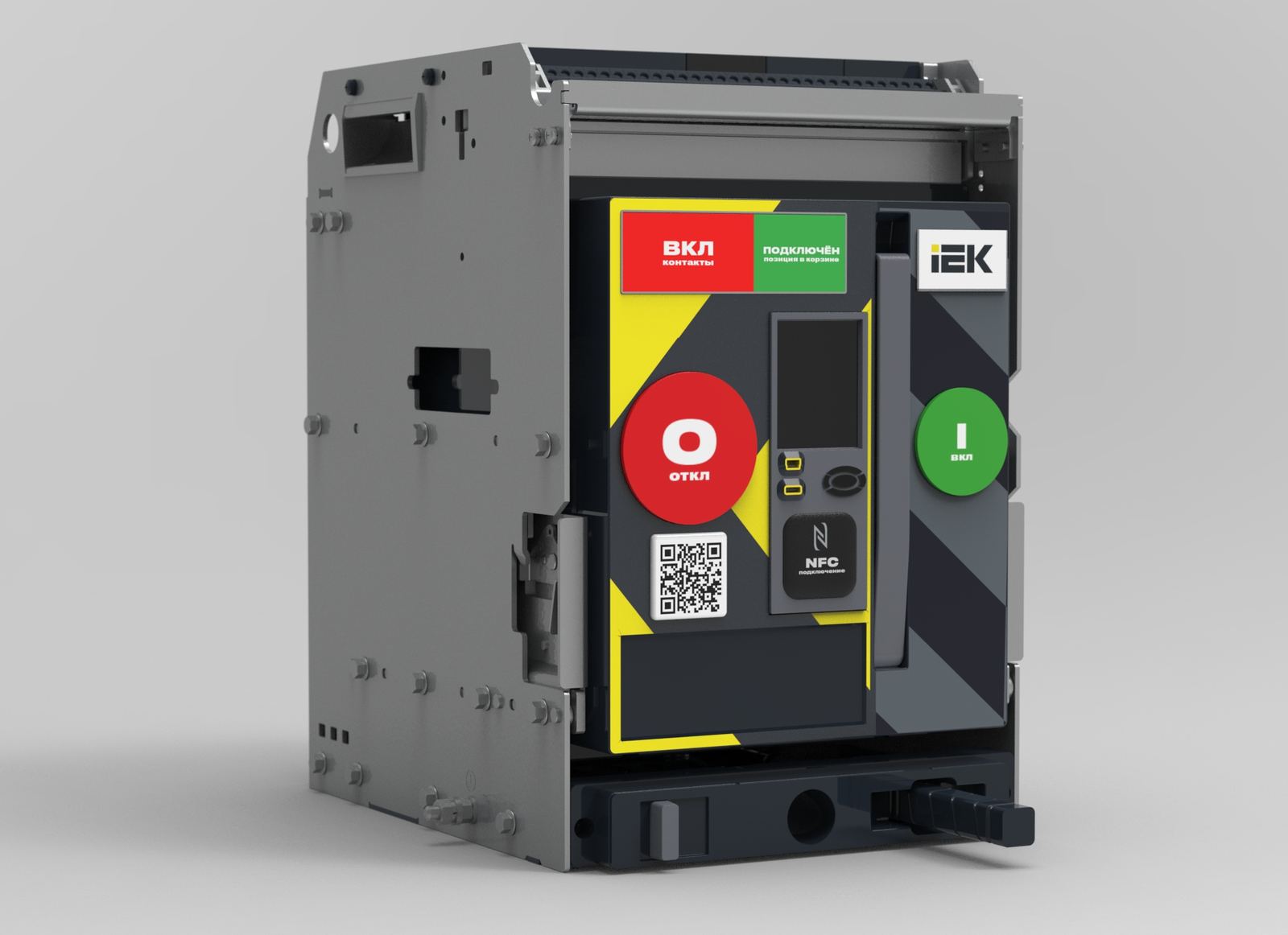
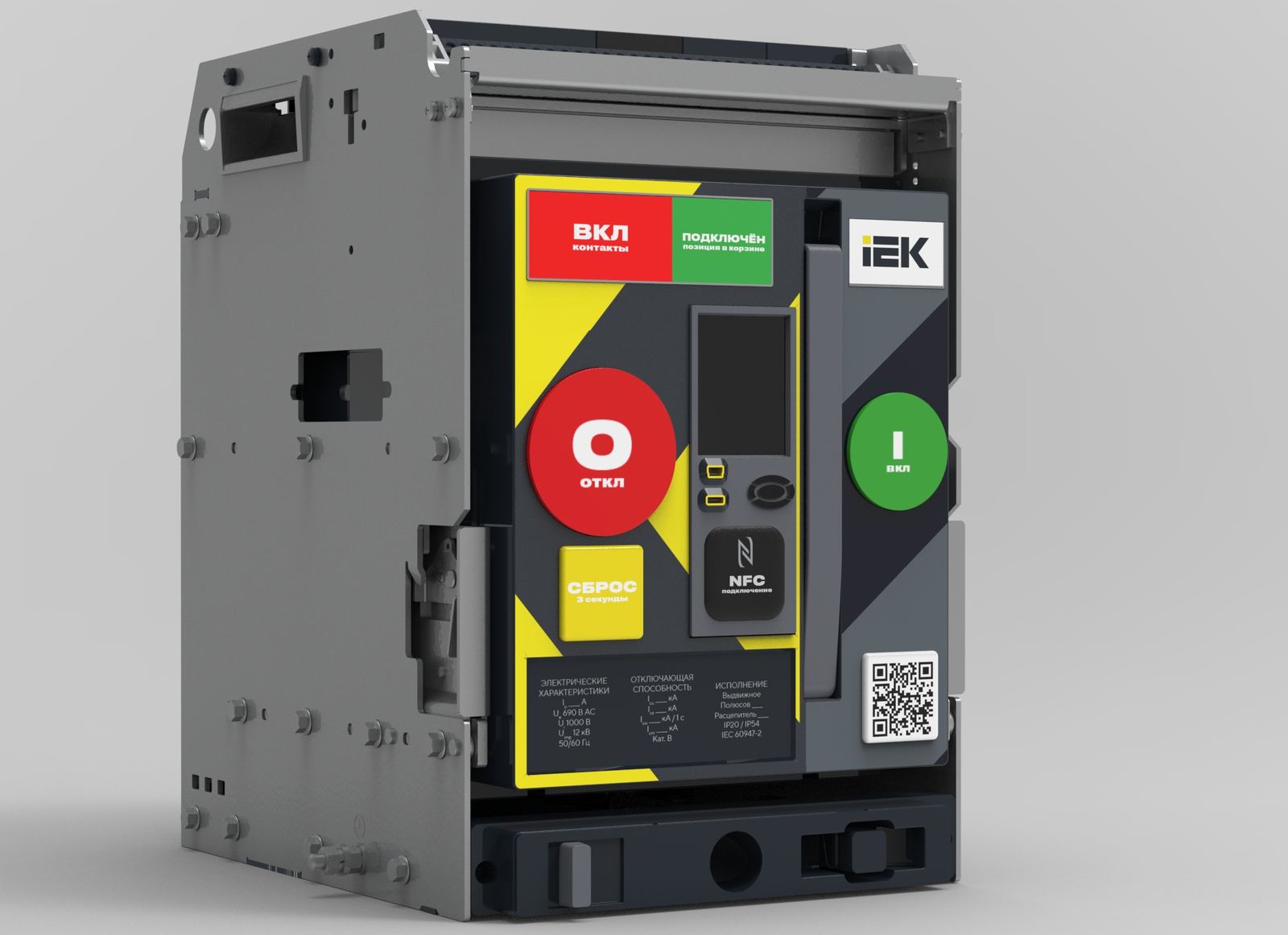
Before → After: early panel version and the final solution
How we solved it
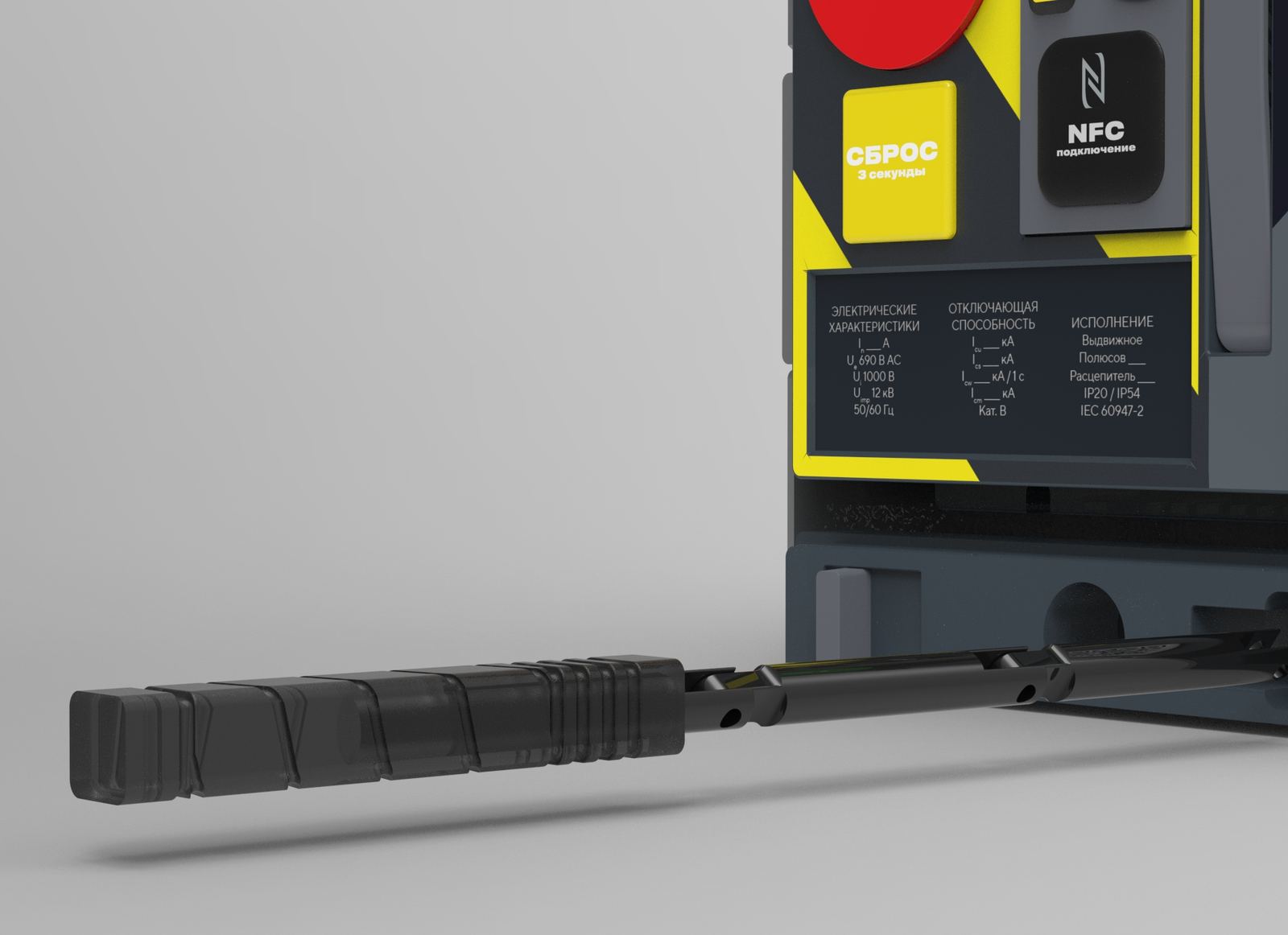
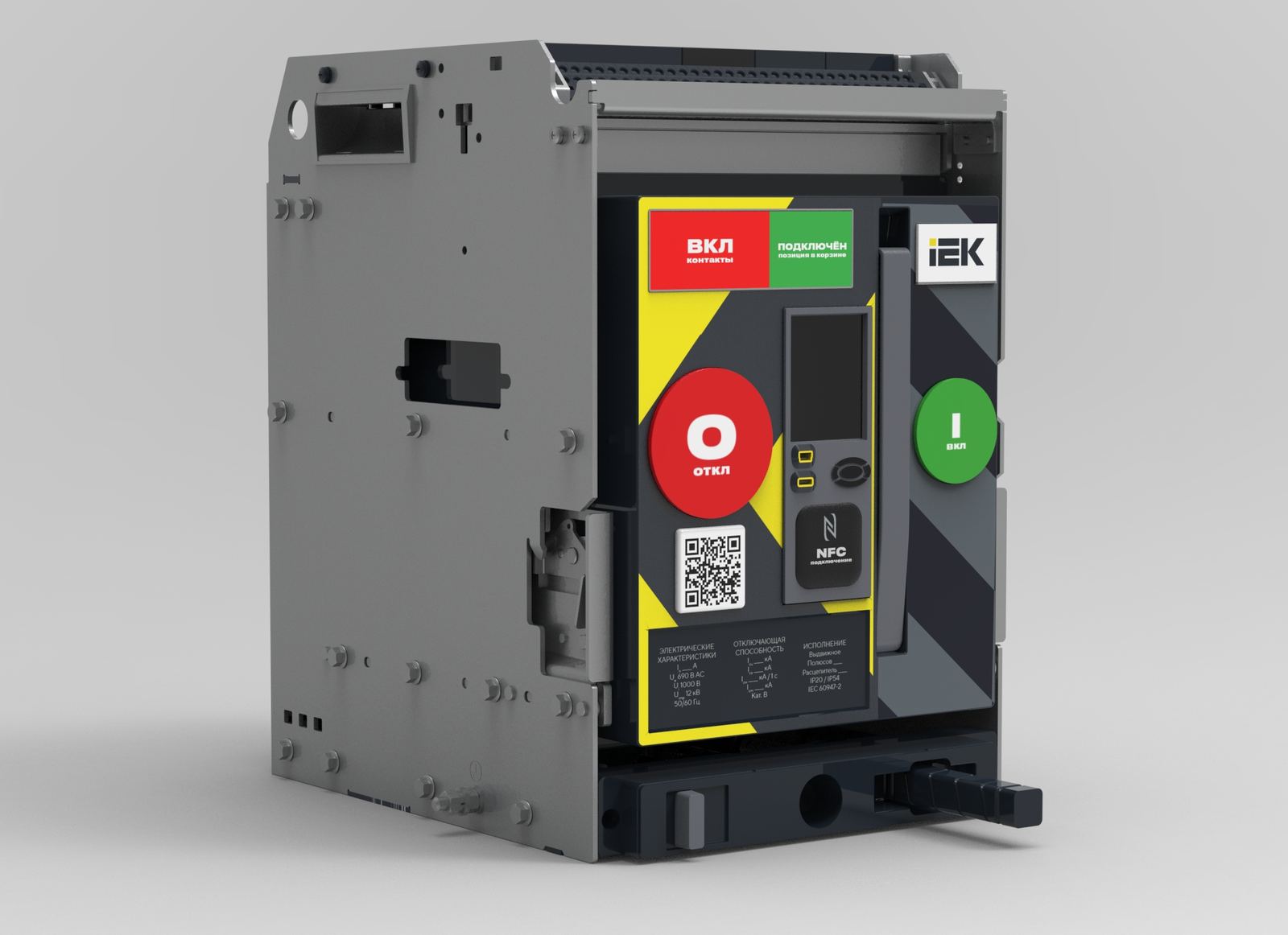
The foundation was risk-zone layout. We divided the panel into zones and colour-coded them by meaning: yellow-and-black emergency control zone on the left, calm enable zone on the right, status band across the top. Buttons were spaced a minimum of 40 mm apart and made distinct in shape and colour — TRIP is a large red circle, RESET is a yellow square requiring a three-second hold, CLOSE is a green circle.
Different geometry works by touch alone, eyes closed, gloves on. Yellow for RESET is not arbitrary: per IEC 60947-5-1, yellow signals an abnormal condition — exactly what the button is there for.
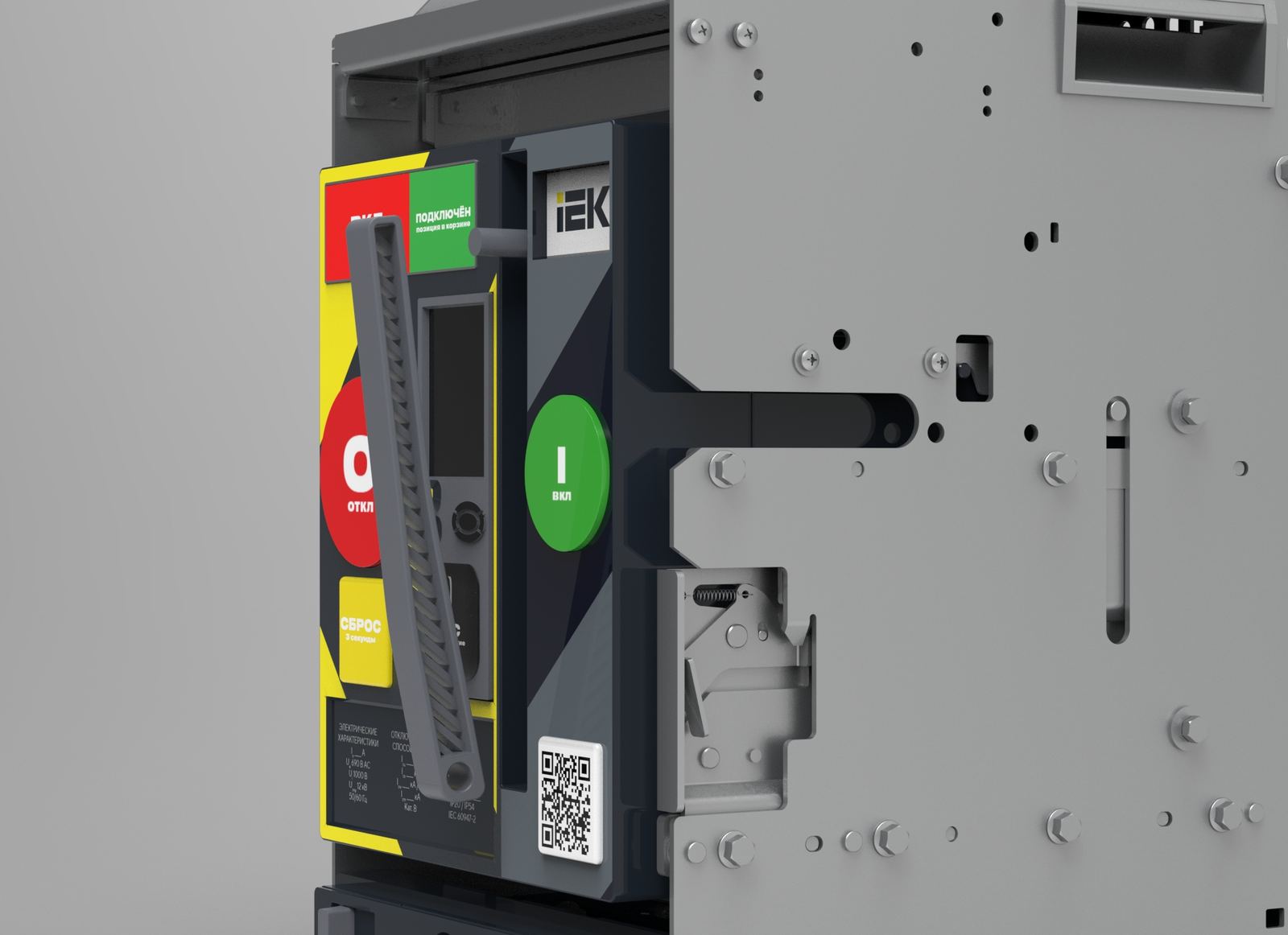
The status band at the top became large enough to read from three meters: "connected, racked in" and contact state are now visible from the switchboard door, no approach needed.
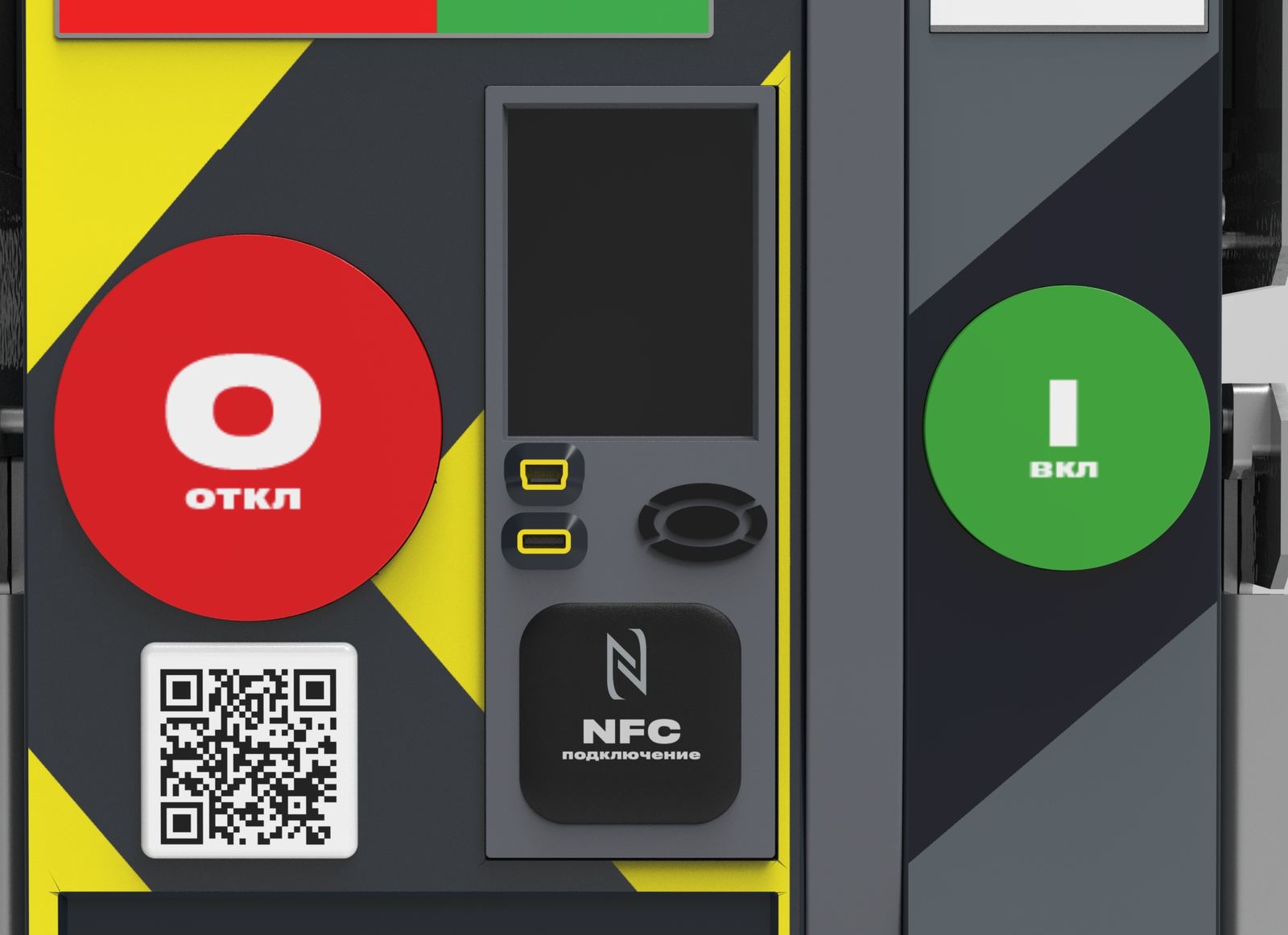
The central zone was given over to digital access: trip-unit display at eye level, NFC tag and USB alongside it. Hold a phone to it — get fault history, setpoints, temperature, a maintenance report. The QR code was moved to a permanently fixed nameplate on the enclosure so it remains accessible even with the trip unit removed.
The information nameplate was restructured into three columns — electrical characteristics, breaking capacity, version — and relocated downward, out of the operator's action zone, where it doesn't compete for attention with the controls.
Handle ergonomics
We addressed the mechanical side separately — everything that hands actually touch.
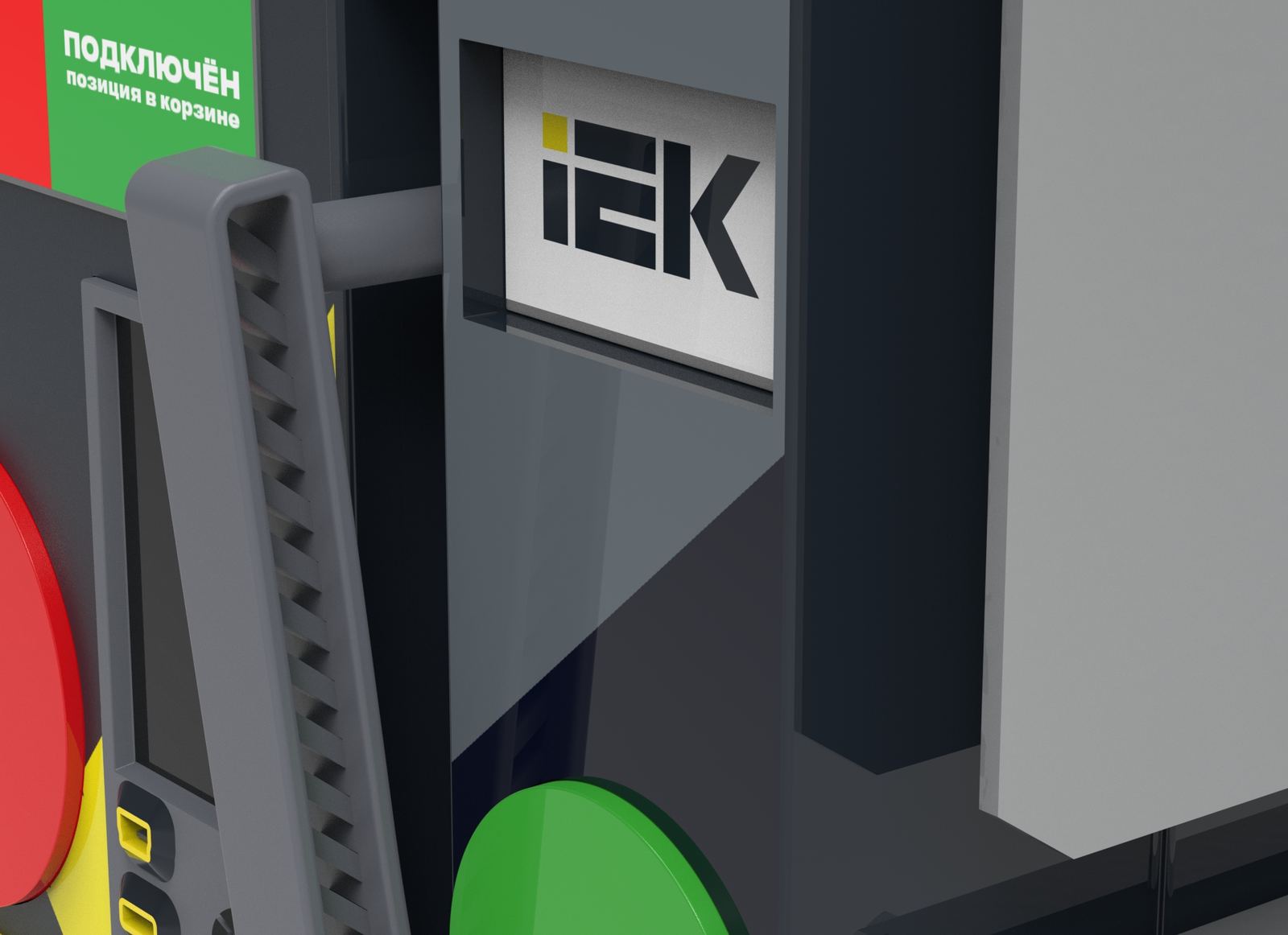
The racking handle was made rotating, with smooth action during racking in and out — force distributes evenly rather than arriving in jerks. A recess was added beneath it: it can be hooked with two fingers even through thick rubber gauntlets. Knurling runs along the handle body — the hand doesn't slip under load. The surface was polished: a smooth finish provides reliable grip through thin dielectric gloves.
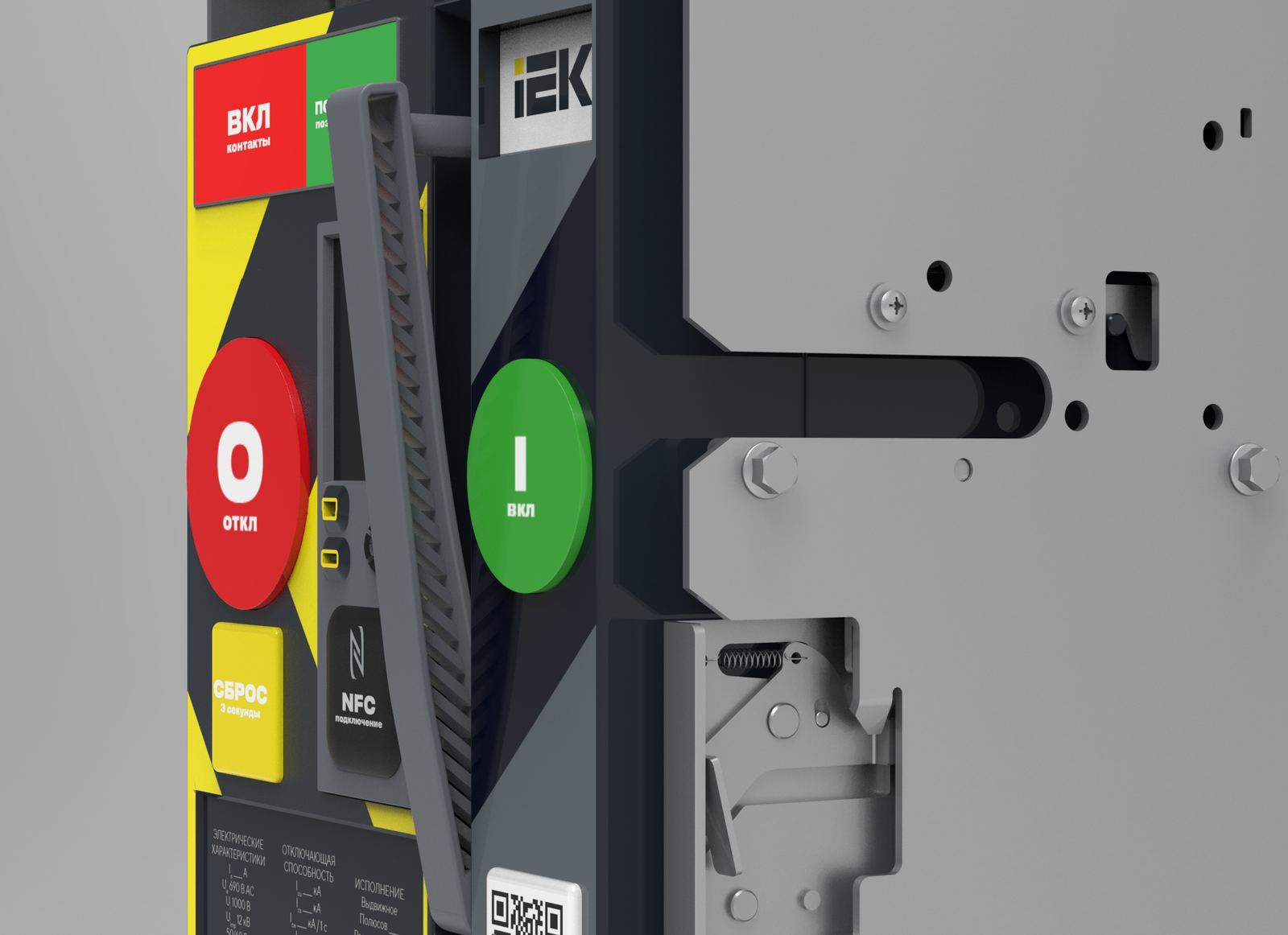
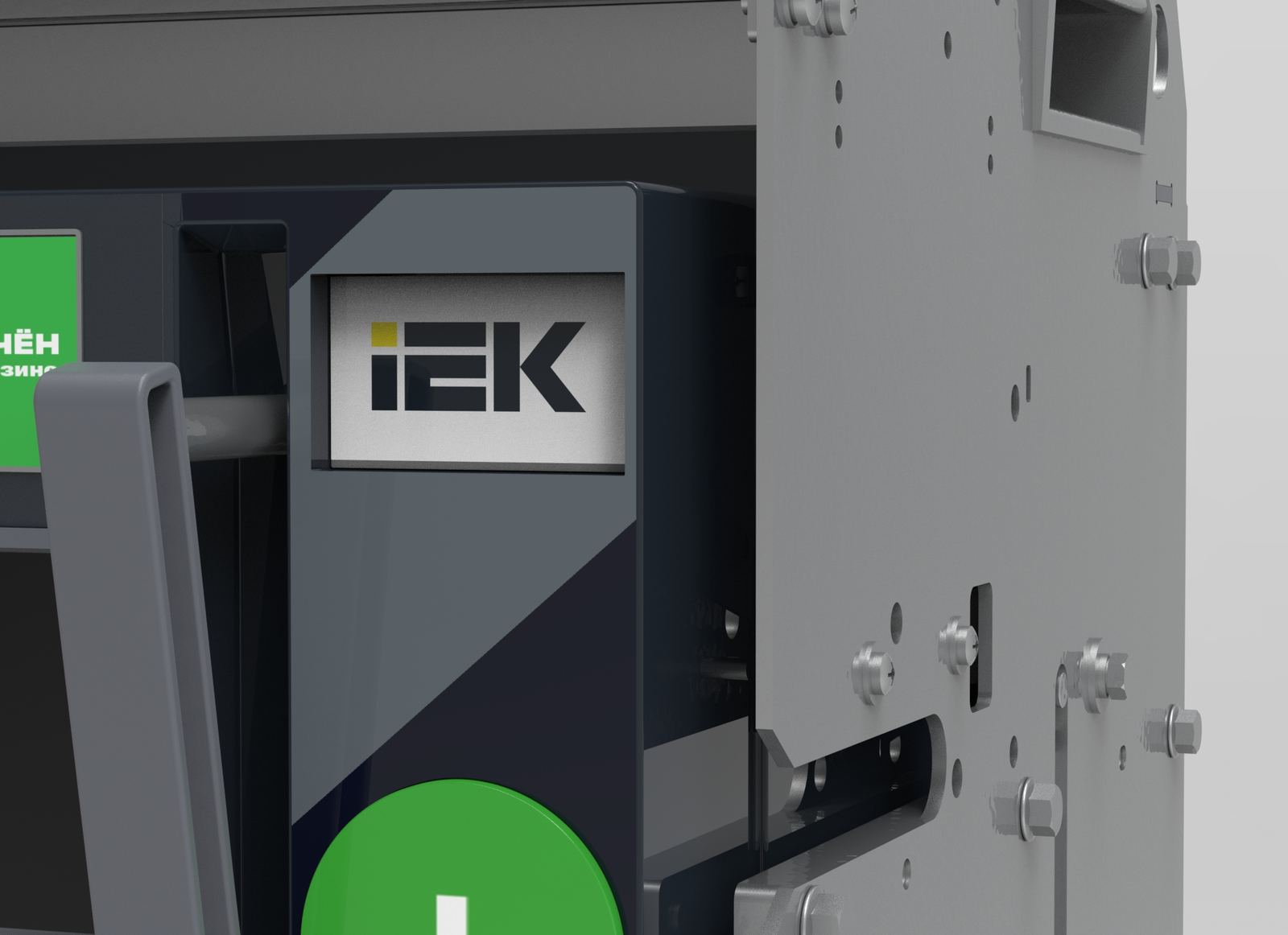
The charging handle was given a new, more ergonomic shape with a textured grip for a secure hold. The charge indicator was designed as the IEK logo — which also serves as a button: pressing it partially extends the lever from its recess, making it easy to grasp. The keys were made from translucent plastic: it transmits indicator light, so status illumination reads straight through the button surface.
Result
Three goals set at the start — make the panel legible under stress, connect the device to digital maintenance, and remove physical friction from installation — came together into a coherent solution.
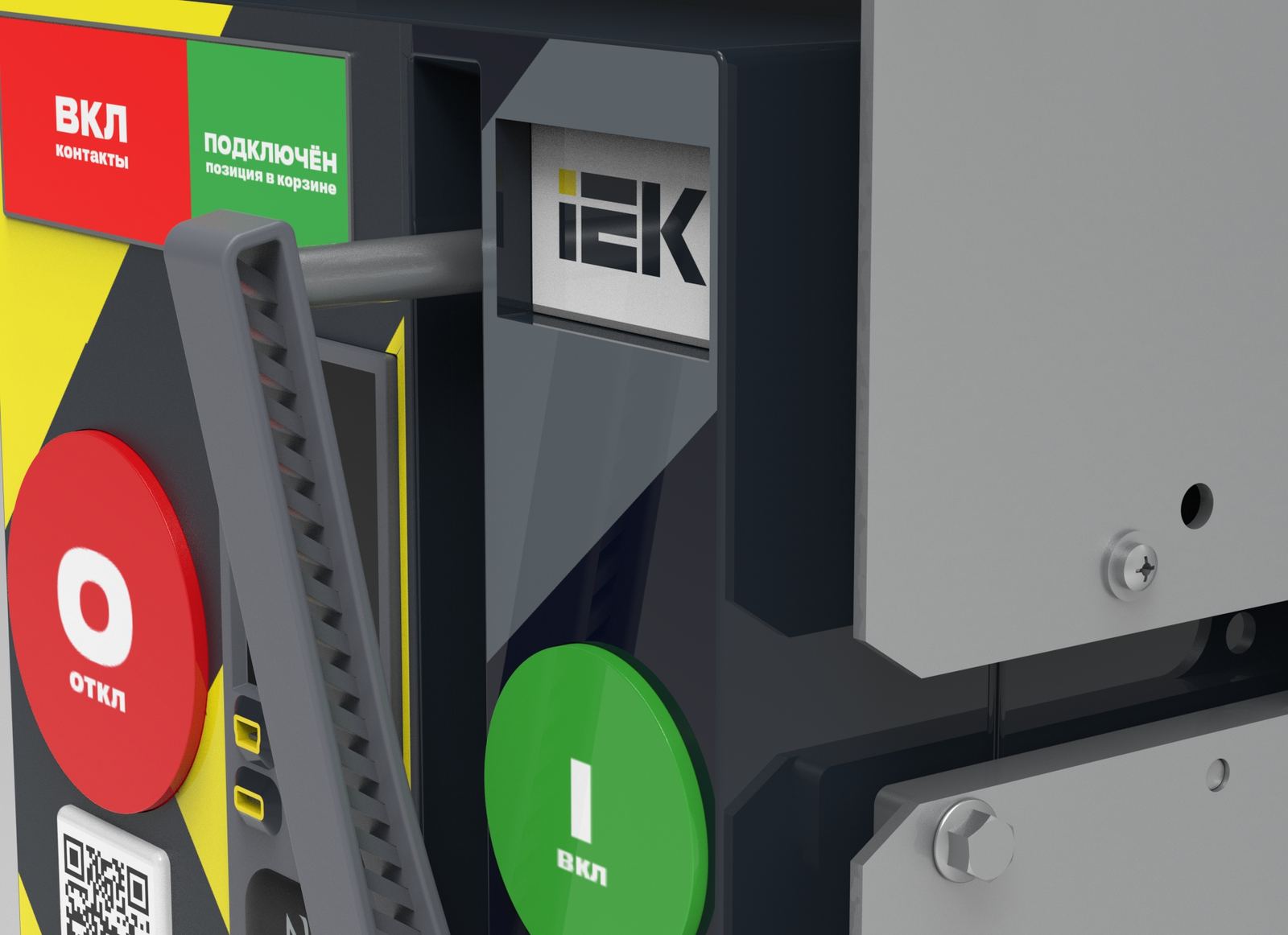
The panel became readable at distance and unambiguous under pressure. NFC and USB turned maintenance into a clear digital workflow: connect, read data, run through a checklist, sync the report. And the redesigned handles and considered mechanics removed the physical friction electricians had been complaining about for years.
The project was taken through to photorealistic 3D modelling of the draw-out version in Siemens NX. As an ergonomic option, we also developed a transport dolly with adjustable-width grippers for different frame sizes — for devices weighing 20–40 kg, this makes a material difference during installation.
Summary
Initiative UX/ID concept for the IEK ARMAT draw-out air circuit breaker. User journey research, risk-zone interface layout, mechanical handle redesign, NFC digital maintenance integration.
Photorealistic 3D model · Siemens NX + Keyshot · 12 final renders.